HTTP Arrow Ingestion API
BoilStream provides a high-performance HTTP/2 interface for ingesting Arrow data directly from web browsers and HTTP clients.
Overview
The HTTP ingestion API is designed for:
- Browser-based data collection using JavaScript libraries like Flechette
- Massive concurrency: 40,000+ concurrent TLS connections tested in production
- High throughput: 2+ GB/s sustained throughput with Arrow payloads
- Real-time streaming from web applications
- Zero-copy processing with Arrow IPC format
Endpoint
POST https://localhost:8443/ingest/{token}Where {token} is a 64-character hex-encoded authentication token generated using BLAKE3 HMAC.
Protocol Details
- Protocol: HTTP/2 with TLS
- Port: 8443 (default, configurable via
http_ingestion.port) - Note: Separate from Web Auth GUI (port 443)
- Content-Type:
application/vnd.apache.arrow.stream - Max Request Size: 128 KiB (131,072 bytes)
- Compression: Supported via HTTP/2
Browser Integration with Fletchette
Fletchette is a JavaScript library for working with Apache Arrow in browsers.
Installation
npm install @uwdata/flechette-jsExample: Streaming Data from Browser
import { tableToIPC } from '@uwdata/flechette-js';

// Create Arrow table from JavaScript data
const data = [
  { timestamp: Date.now(), event: 'click', value: 1 },
  { timestamp: Date.now(), event: 'view', value: 2 }
];

// Convert to Arrow IPC format
const arrowBuffer = tableToIPC(data);

// Send to BoilStream
fetch('https://your-server:8443/ingest/YOUR_TOKEN_HERE', {
  method: 'POST',
  headers: {
    'Content-Type': 'application/vnd.apache.arrow.stream'
  },
  body: arrowBuffer
});
Handling Page Unload
For sending data when users navigate away:
// Send data before page unload
window.addEventListener('beforeunload', () => {
  const events = collectPendingEvents();
  const arrowBuffer = tableToIPC(events);

  // Use fetch with keepalive option for reliability
  fetch('https://your-server:8443/ingest/YOUR_TOKEN_HERE', {
    method: 'POST',
    headers: {
      'Content-Type': 'application/vnd.apache.arrow.stream'
    },
    body: arrowBuffer,
    keepalive: true
  });
});
Authentication
Tokens are pre-generated server-side using BLAKE3 HMAC and distributed to browser clients. Each token contains:
- domain_id: 32-bit hashed domain for binding (prevents token reuse across domains)
- tenant_id: 32-bit tenant/producer identity
- topic_id: 32-bit topic identifier (determines the schema)
- expires_at: 32-bit Unix timestamp for expiration
The token is a 64-character hex string (256 bits total):
- First 128 bits: Encoded data (domain_id + tenant_id + topic_id + expires_at)
- Last 128 bits: BLAKE3 HMAC for authentication
Token Generation (Server-Side)
Tokens must be generated server-side with the secret key and provided to browser clients:
// Server generates token for browser client
let token = web_token_manager.generate_token(
    "app.example.com",  // Domain binding
    tenant_id,          // Tenant/producer ID
    topic_id,           // Topic ID
    expires_at          // Unix timestamp
)?;

// Provide token to browser application
// Token: "a3f2b1c4d5e6f7890123456789abcdef0123456789abcdef0123456789abcdef"
Token Usage (Browser-Side)
Browser clients receive the pre-generated token and use it for authentication:

// Token provided during app initialization
const INGESTION_TOKEN = "a3f2b1c4d5e6f7890123456789abcdef0123456789abcdef0123456789abcdef";

// Use token in requests
fetch(`https://localhost:8443/ingest/${INGESTION_TOKEN}`, {
  method: 'POST',
  headers: {
    'Content-Type': 'application/vnd.apache.arrow.stream'
  },
  body: arrowData
});
CORS Configuration
BoilStream supports CORS for browser access:
# In your config.yaml
http_ingestion:
  cors:
    allowed_origins:
      - "https://your-app.com"
      - "https://localhost:3000"
    max_age_seconds: 3600
    allow_credentials: true
Performance Optimization
Connection Pooling
The HTTP/2 server is optimized for massive concurrency:
- Max Connections: 10M+ supported
- HTTP/2 Multiplexing: Multiple streams per connection
- Keep-Alive: Persistent connections for real-time streaming
Batching Strategies
class DataBatcher {
  constructor(endpoint, token, batchSize = 1000) {
    this.endpoint = endpoint;
    this.token = token;
    this.batchSize = batchSize;
    this.buffer = [];
  }

  add(record) {
    this.buffer.push(record);

    if (this.buffer.length >= this.batchSize) {
      this.flush();
    }
  }

  flush() {
    if (this.buffer.length === 0) return;

    const arrowBuffer = tableToIPC(this.buffer);

    fetch(`${this.endpoint}/ingest/${this.token}`, {
      method: 'POST',
      headers: {
        'Content-Type': 'application/vnd.apache.arrow.stream'
      },
      body: arrowBuffer
    });

    this.buffer = [];
  }
}
Rate Limiting
The HTTP interface includes rate limiting:
// Response headers on rate limit
{
  "status": 429,
  "retry-after": "5",
  "x-retry-after-ms": "5000"
}
Schema Validation
Schemas are validated against the topic schema:
// Schema must match topic definition
const schema = {
  fields: [
    { name: 'timestamp', type: 'int64' },
    { name: 'event', type: 'utf8' },
    { name: 'value', type: 'float64' }
  ]
};
Error Handling
| Status Code | Description |
|---|---|
| 200 | Success |
| 400 | Invalid Arrow data or schema mismatch |
| 401 | Invalid or expired token |
| 429 | Rate limit exceeded |
| 503 | System at capacity (backpressure) |
Error Response Format
{
  "error": "Schema validation failed: field 'timestamp' type mismatch",
  "retry_after_ms": 5000
}
Monitoring
HTTP ingestion metrics available via Prometheus:
http_requests_total: Total HTTP requestshttp_request_duration_seconds: Request latencyhttp_active_connections: Current connectionshttp_bytes_received: Total bytes received
Security Considerations
- Always use TLS in production
- Rotate tokens regularly
- Implement client-side rate limiting
- Use CORS to restrict origins
- Monitor for anomalies via metrics
Complete Browser Example
<!DOCTYPE html>
<html>
<head>
  <script type="module">
    import { tableToIPC } from 'https://cdn.skypack.dev/@uwdata/flechette-js';

    // Token provided by your backend during app initialization
    // This token is pre-generated server-side with proper authentication
    const INGESTION_TOKEN = "YOUR_PRE_GENERATED_64_CHAR_TOKEN_HERE";

    class BoilStreamClient {
      constructor(endpoint, token) {
        this.endpoint = endpoint;
        this.token = token;
        this.buffer = [];
        this.batchSize = 100;

        // Auto-flush every 5 seconds
        setInterval(() => this.flush(), 5000);

        // Flush on page unload
        window.addEventListener('beforeunload', () => this.flush());
      }

      track(event, properties = {}) {
        this.buffer.push({
          timestamp: Date.now(),
          event,
          ...properties
        });

        if (this.buffer.length >= this.batchSize) {
          this.flush();
        }
      }

      async flush() {
        if (this.buffer.length === 0) return;

        const data = [...this.buffer];
        this.buffer = [];

        try {
          const arrowBuffer = tableToIPC(data);

          const response = await fetch(
            `${this.endpoint}/ingest/${this.token}`,
            {
              method: 'POST',
              headers: {
                'Content-Type': 'application/vnd.apache.arrow.stream'
              },
              body: arrowBuffer
            }
          );

          if (!response.ok) {
            const error = await response.json();
            console.error('Failed to send data:', error);

            // Handle rate limiting
            if (response.status === 429 && error.retry_after_ms) {
              setTimeout(() => this.flush(), error.retry_after_ms);
            }
          }
        } catch (error) {
          console.error('Error sending data:', error);
          // Re-add data to buffer for retry
          this.buffer.unshift(...data);
        }
      }
    }

    // Initialize client with pre-generated token
    const client = new BoilStreamClient(
      'https://localhost:8443',
      INGESTION_TOKEN
    );

    // Track events
    document.addEventListener('click', (e) => {
      client.track('click', {
        x: e.clientX,
        y: e.clientY,
        target: e.target.tagName
      });
    });
  </script>
</head>
<body>
  <h1>BoilStream Browser Integration</h1>
  <p>Click anywhere to generate events</p>
  <p>Events are batched and sent to BoilStream using Arrow format</p>
</body>
</html>
Getting HTTP Ingest Tokens
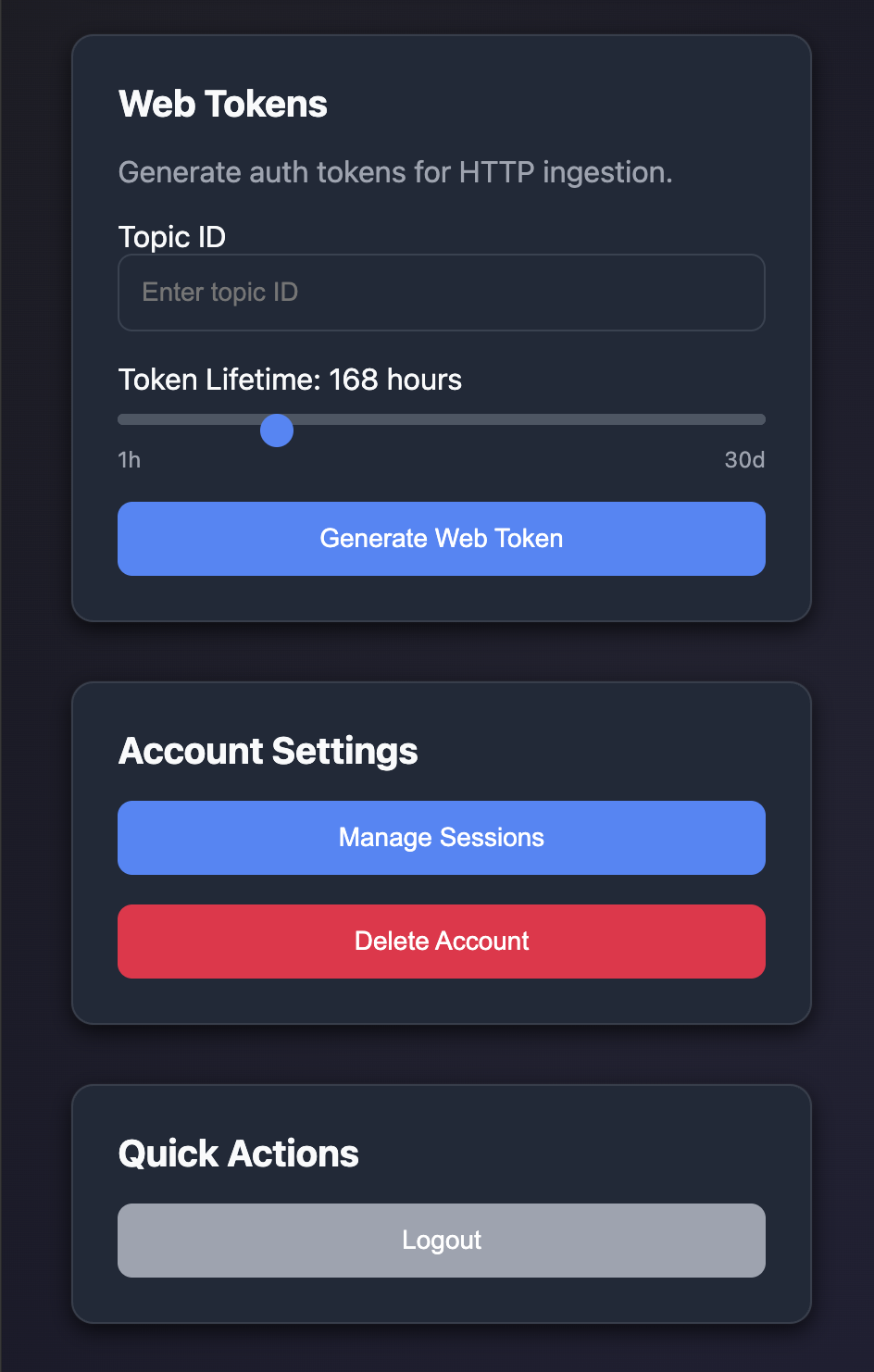
HTTP ingestion tokens are generated through the Web Auth GUI:
- Navigate to
https://your-server/auth - Log in with your credentials
- Select your topic from the dashboard
- Generate an Ingest token
- Copy the token for use in browser clients
Token Types
Select Ingest purpose when generating tokens for HTTP Arrow ingestion. These tokens are bound to a specific topic and have configurable TTL.
Providing tokens to browser clients:
// Your backend fetches/caches the token and provides it to browser clients
app.get('/config', async (req, res) => {
  // Token pre-generated via Web Auth GUI or cached from earlier session
  const ingestionToken = process.env.BROWSER_INGEST_TOKEN;
  res.json({ ingestionToken });
});